Dec 18, 2025
Build Rebuilds: Interactive particle effects with hand tracking
A tutorial on creating four distinct tools and games using a simple hand tracking effect.
Educational
This is the third installation of our Bolt Rebuilds series. If you want to see our first two Bolt Rebuilds, check out #1 (adding assets to your project) and #2 (import and customize open source components.)
We saw the viral hand-tracking particle cloud making rounds on X and just had to see if Bolt could recreate it. So our very own Jakub Skrzypczak, power-user and designer, opened Bolt and got to work with nothing but a handful of prompts and a webcam.
In 7 minutes, he’d recreated the hand tracking effect in the form of four working prototypes.
Watch the video tutorial below or read on to skip straight to the prompts that made this magic happen.
Build #1: The particle cloud
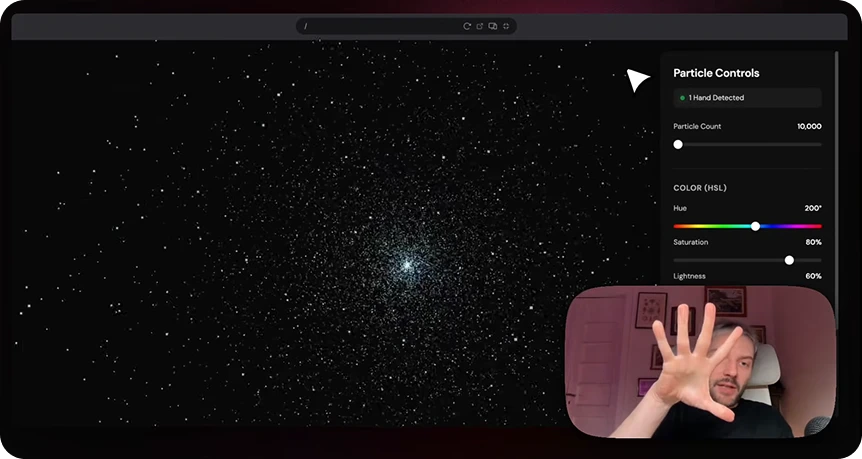
Jakub started by describing the stunning effect he wanted to create in plain English: an immersive, real-time 3D particle system controlled by hand gestures.
Prompt 1:
You are a skilled web developer tasked with creating an interactive 3D particle system with hand gesture controls. Build a complete web application with the following specifications:
Core Functionality:
Create a real-time 3D particle system using Three.js or similar WebGL library
Implement hand tracking using MediaPipe Hands or similar computer vision library
Map hand gestures to particle behaviors:
Distance between hands controls particle cloud expansion/contraction
Hand clenching/opening controls particle scaling and density
Hand position controls the center point of the particle cloud
Technical Requirements:
Ensure sub-100ms latency between gesture detection and visual response
Render at minimum 60 FPS with 1000+ particles
Use requestAnimationFrame for smooth animations
Implement proper camera controls for 3D navigation
User Interface:
Design a clean, minimalist sidebar with:
Color picker for particle color (HSL sliders preferred)
Particle count slider (10000-25000 range)
Reset button to return to default state
Hand tracking status indicator
Position UI elements to not obstruct the 3D viewport
Use modern CSS with subtle shadows and smooth transitions
Particle System Details:
Default: 10000 spherical particles in a cloud formation
Particles should have subtle glow/bloom effects
Smooth interpolation between gesture states
Graceful fallback when hands are not detected
Output Requirements:
Provide complete, production-ready code including HTML, CSS, and JavaScript files with proper error handling and browser compatibility for Chrome/Firefox.
Bolt took these instructions and ran with it, even recommending MediaPipe, a hand tracking library Jakub hadn’t even heard of.
Here are a few other prompts Jakub used to take dazzling effect to the next level:
Prompt 2:can we now switch the zoom in gesture to the distance between hands? (the closer it is the smaller the object, the further hands are from each other the bigger)
Prompt 3:Add a rotation feature for the right hand, and allow full 360 rotation
Prompt 4:
can we now add more particles to the objects to make them more dense and pick some cooler objects? :) keep the sphere though
Letting Bolt lead the way
Jakub revealed a trick he likes to use when he doesn’t have a strong opinion on what a design should be or how a UI effect should look: opening Plan mode and letting Bolt take the lead.
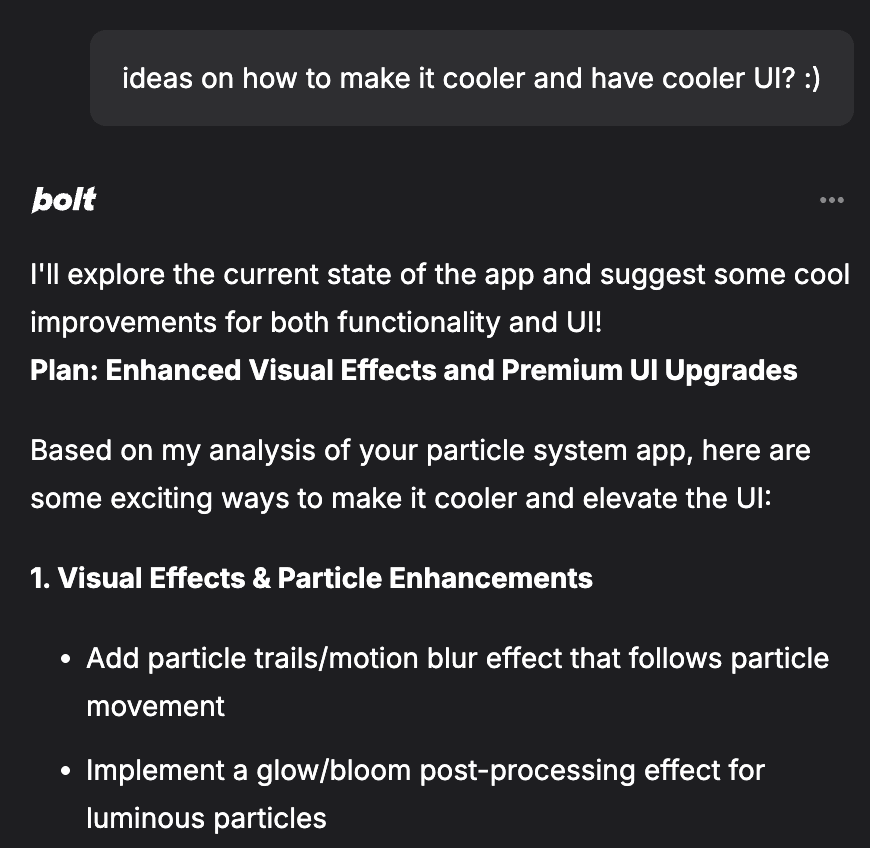
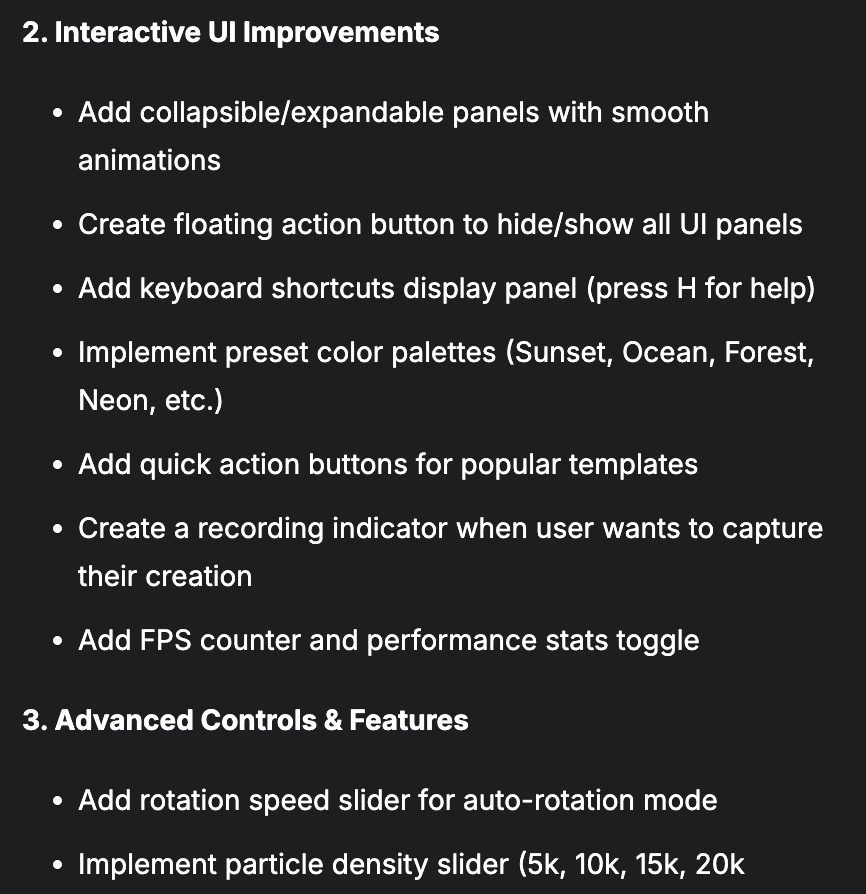
Based on the above recommendations, Jakub was able to choose the ones that resonated and ignore the ones that fell flat.
Prompt 7:let’s make the dna template be built of particles, and not be a line
Prompt 8:allow for disabling one of the hands in settings
Prompt 9:
can we allow a bigger zoom for right hand palm gesture? the max size should be much bigger than now
Prompt 10:can we make all of the particles move randomly and glow a bit? so it feels more organic
Prompt 11:
movement is fine, but i'd like them to glow on and off more, almost like little fireflies :)
Build #2: Brick Breaker
Brick Breaker is a super simple responsive arcade game that basically feels like waving at a ghost that plays Pong.
It’s also a one-shot build. This is all it takes:
Prompt 1:
"Build a 'Neon Brick Breaker' arcade game using React and HTML5 Canvas.
The Paddle: instead of mouse or keyboard control, use MediaPipe Hands to map the user's index finger X-position to the paddle's position. The paddle should follow the hand instantly.
The Game Loop:
Create a grid of neon-colored bricks at the top.
A glowing ball bounces off the walls and bricks.
If the ball hits the bottom, Game Over.
Physics: Simple AABB collision detection. When the ball hits a brick, the brick vanishes and particles explode.
Style: Cyberpunk aesthetic. Dark background, neon green paddle, neon pink ball. Display a large 'Score' counter in the background."
Virtual Theremin
Next, Jakub used the flashy new hand tracking feature to create a virtual theremin, a unique electronic musical instrument you can play without touching it.
Jakub’s version respondents to hand height and distance to control pitch and volume
Prompt 1:
Create a real-time, interactive "Virtual Theremin" web application.
Tech Stack: Three.js for 3D visuals, MediaPipe Hands for tracking, and Tone.js for audio synthesis.
Functional Requirements:
Setup & UI:
The app needs a clean, modern dark-mode interface.
Crucial: Provide a prominent "START AUDIO EXPERIENCE" button overlaid on the screen initially. Audio contexts in browsers must be started by a user gesture.
Hand Tracking Integration:
Implement real-time hand tracking via webcam.
Map the Vertical Y-position of the LEFT hand to control the audio Volume (amplitude). Higher hand = louder.
Map the Horizontal X-position of the RIGHT hand to control the audio Pitch (frequency). Hand further right = higher pitch.
Audio Synthesis (Tone.js):
Use a Tone.Oscillator with a "sine" or "triangle" wave for a classic theremin sound. connect it to a Tone.Gain node for volume control, then to the master output.
Ensure the sound is smooth and continuous, not choppy.
Visual Feedback (Three.js):
Create a central 3D visualization that reacts to the sound generation.
Example visual: A flowing, glowing ribbon or sphere in the center of the screen.
Its color should shift based on the current Pitch (right hand).
Its size or glow intensity should pulse based on the current Volume (left hand).
Add a subtle "grid" or visual guides in the background space so the user knows where the "high pitch" or "high volume" zones are.
With a small tweak, Jakub had a digital theremin he could play by waving his hands in front of a webcam.
Prompt 2:can we also add some visual representation of the theremin on the screen? :)
Swipeable Gallery
Finaly, Jakub combined our nifty hand tracking effect with a React carousel from React Bits for a no-touch, futuristic photo viewer.
Easy to build, simpler to use: just pinch to zoom and swipe to rotate.
Prompt 1:
[pasted code from https://www.reactbits.dev/components/circular-gallery ‘Code’ part]
I have pasted a code file above that creates a circular gallery using OGL. I want to control this gallery using my webcam and MediaPipe Hands.
Please modify the code to achieve the following:
Integrate MediaPipe Hands: Create a useHandTracking hook that detects the user's hand.
Add External Control: Modify the App class to add a public method called onHandScroll(normalizedX).
Implement 'Joystick' Logic:
If the hand is on the right side of the screen (x > 0.6), scroll the gallery to the right.
If the hand is on the left side (x < 0.4), scroll to the left.
The further the hand is from the center, the faster the scroll speed.
Visual Feedback: Add a small cursor overlay on the screen that follows the hand position so I know where I am pointing.
Connect it: In the CircularGallery component, use the hand tracking hook to call app.onHandScroll inside the animation loop.
Next, Jakub laid the foundation for the pinch functionality, which controls zoom.
Prompt 2:add a feature, where on pinch of my hand the object i'm pinching opens a card of that picture zoomed in
And with a final prompt, he made the pinch functionality more complex and dynamic.
Prompt 3:could we make it so:
pinching detection is more sensitive
the 'pinchable area' of the picture is bigger
on a single pinch we open the picture and keep it open
on another pinch when the card is open we close it and get back to the carousel
Final result: One quirky effect, dozens of possibilities
In this installment of Bolt Rebuilds, Jakub built an array of imaginative tools and games using the same underlying tech. What began as a simple viral hand tracking feature became:
Art-in-motion in the form of a particle cloud
Brick Breaker, a retro one-shot arcade game
A virtual instrument you can play in you browser
A whole new way to look at digital photos (literally)
Importantly, Bolt didn’t just generate the code. It figured out the right libraries to use and handled the logic so Jakub could focus on getting creative.
Hand tracking is another reusable primitive you can remix however you want. Gesture-controlled art, games, and galleries are all possible. And it’s all instant.
Want to experiment with hand tracking in your own project? Grab Jakub’s prompts above, open Bolt, and start building.