You've been building with Bolt. Your team's been building with Bolt. Now someone's asking the hard questions:
"How do I know this code is secure?"
"Do we have to use a new database? Our data has to stay where it is."
"Can this work with our existing infrastructure?"
"Who decides where this deploys?"
They're good questions. And now, they have answers.
Here's what's possible in Bolt for Teams today.
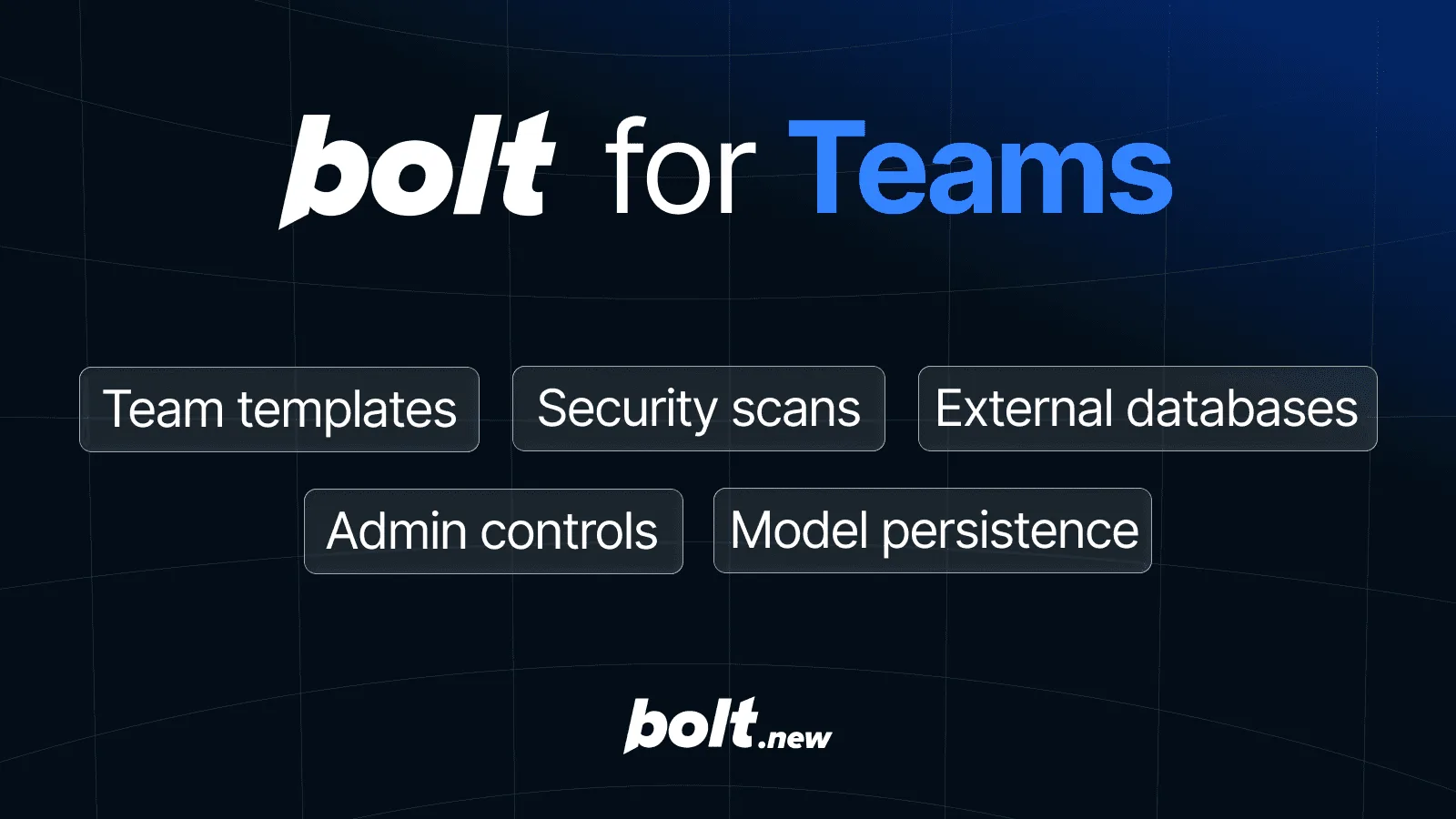
Five features. Full control.
Bolt for Teams now includes five foundational upgrades that give teams real control over how they build, secure, and ship. Each one is a direct response to the gaps that prevent teams from deploying AI-assisted development tools at scale.
Here are the features that put you in control:
Team Templates: Your team shouldn't be recreating the same project setup over and over. Save any project as a template so everyone builds on a shared foundation instead of diverging copies. Duplicates drift. Templates don't.
Security scans: Verify your code is secure before you ship. Automated vulnerability detection catches things like missing Row-Level Security policies, mutable function search paths, and disabled password protection, then flags them with a one-click "Ask Bolt to fix" button.
Connect your existing database: It's not realistic for you to start from scratch. Now, you can work with what you already have. Teams working across complex systems can spin up prototypes that use your actual data model.
Admin deploy controls: Decide where code ships so you can follow deployment protocols and make sure everyone on your team only deploys to the environments they have approvals for.
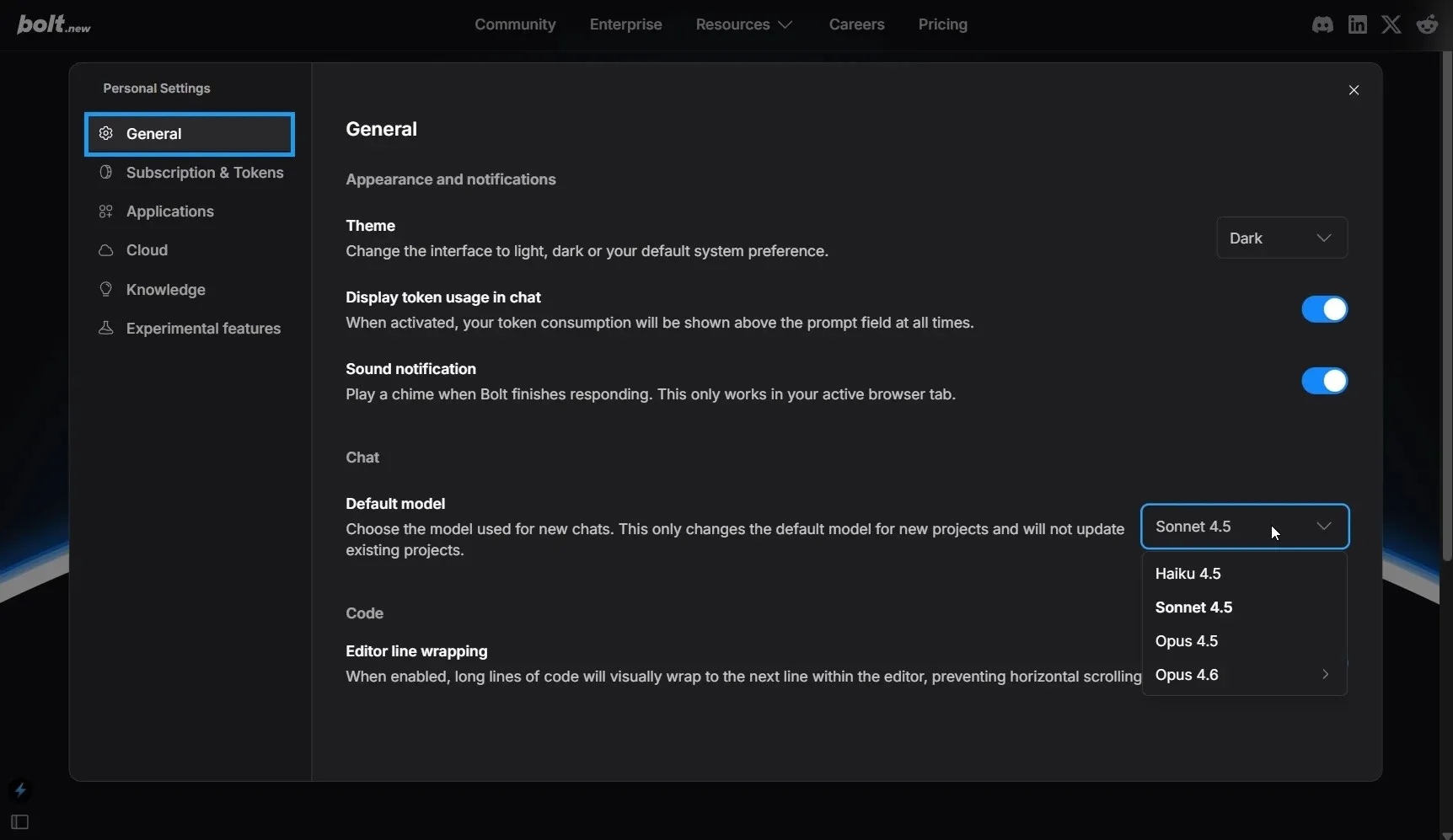
Model persistence: Bolt now remembers your last-used model when you reopen a project or refresh. You can also set a default across all projects in settings. No more resetting every time.
If you're already using Bolt for Teams, these features are available now. If you're evaluating whether Bolt fits your organization, here's exactly what you're getting.
Team Templates: Build it once. Start from it every time.
The most expensive thing in software isn't building. It's rebuilding. That dashboard you set up last month, the auth flow you nailed three weeks ago? You're starting over. Not because the work was bad, but because there was no way to keep it.
Team Templates change that. Save any project as a shared, reusable starting point. Lock the foundation, and let your whole team build from it every time.
How to create a template:
- Log in to Bolt with your Teams account and open the project you want to reuse.
- Click the project title, then Save as team template (give it a name your team will actually recognize).
- Click Save new team template.
- Your team can now find it on the homepage. Anyone on your Teams plan clicks Team template and it's right there.
Security scans: Know your code is secure before you ship
AI-generated code moves fast, which has its advantages. But velocity without verification isn't shipping. It's the fastest way to accumulate risk.
That's why every Bolt Cloud database now includes a Security Audit tab that scans for real vulnerabilities.
How to use it
Open your Bolt project, then Settings (gear icon), then All project settings, then Database, then Security Audit.
When issues are found, you get a one-click "Ask Bolt to fix" button. No painstakingly hunting through code or guessing at what's wrong.
This feature is powered by Supabase's battle-tested security infrastructure. So you can move fast, ship with confidence, and protect both your users and your organization.
Connect your existing database: Work with what you already have
Your team already has databases. More importantly, your databases probably reflect years of iteration and evolution.
It would take forever to create all of that inside a new tool, and it'd be totally unrealistic to maintain a parallel database just to use Bolt.
With this latest update to Bolt for Teams, you can connect any existing Supabase database to Bolt projects. Not just databases created through Bolt chat. Your actual production databases.
That means you can:
- Manage data rows directly inside Bolt
- Export to CSV and JSON
- Enable Google SSO for your app's end users
- Customize email templates for auth flows.
How to connect it
Open your Bolt project, then Settings (gear icon), then All project settings, then Database, then Advanced, then Connect to existing database.
Your existing data and infrastructure work exactly as they are. Bolt adapts to you.
Admin deploy controls: Decide where code ships
Without deploy controls, code could ship anywhere. That's over. Now, you can enforce deployment governance in Bolt.
Admins can set a default deployment provider for all team projects: Bolt Cloud, Netlify, or User Specified if you want to let each person choose.
How to set it up
Open your Bolt project, then Settings (gear icon), then All project settings, then Teams, then Select Team-wide deploy provider.
Lock down where code deploys without slowing anyone down. Best of all, you can configure these policies at the team level rather than just hoping everyone on your team remembers to deploy to the right place.
Model persistence: Stop resetting
Bolt now remembers your last-used model whenever you reopen a project or refresh the page, and you can set a default model across all projects in settings so you never have to reset it again.
How to set a default model
Go to Settings, then General, then Select default model.
What else you control with Bolt for Teams
Beyond security, database connections, and deployment, here's what Bolt for Teams puts in your hands:
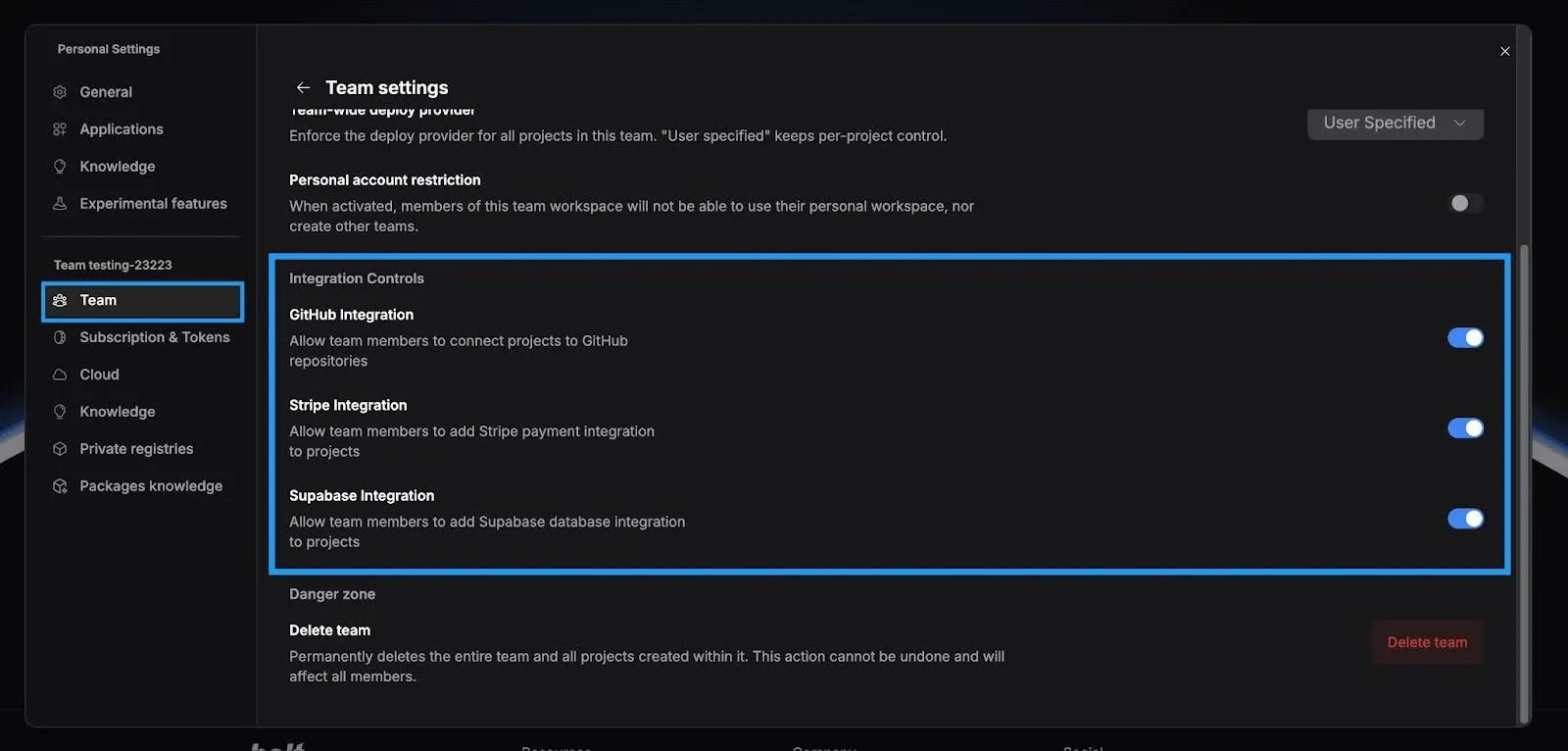
Manage third-party integrations
Control access to GitHub, Netlify, and Supabase integrations across your entire team. Enable what you need. Disable what you don't.
Log in to your Teams account, hover over the left side of your screen, then click Settings. Click Team under your team's name, click the gear icon in the top-right corner of the window, scroll down to the Integration Controls section, and use the toggles to enable or disable specific integrations.
Private site sharing
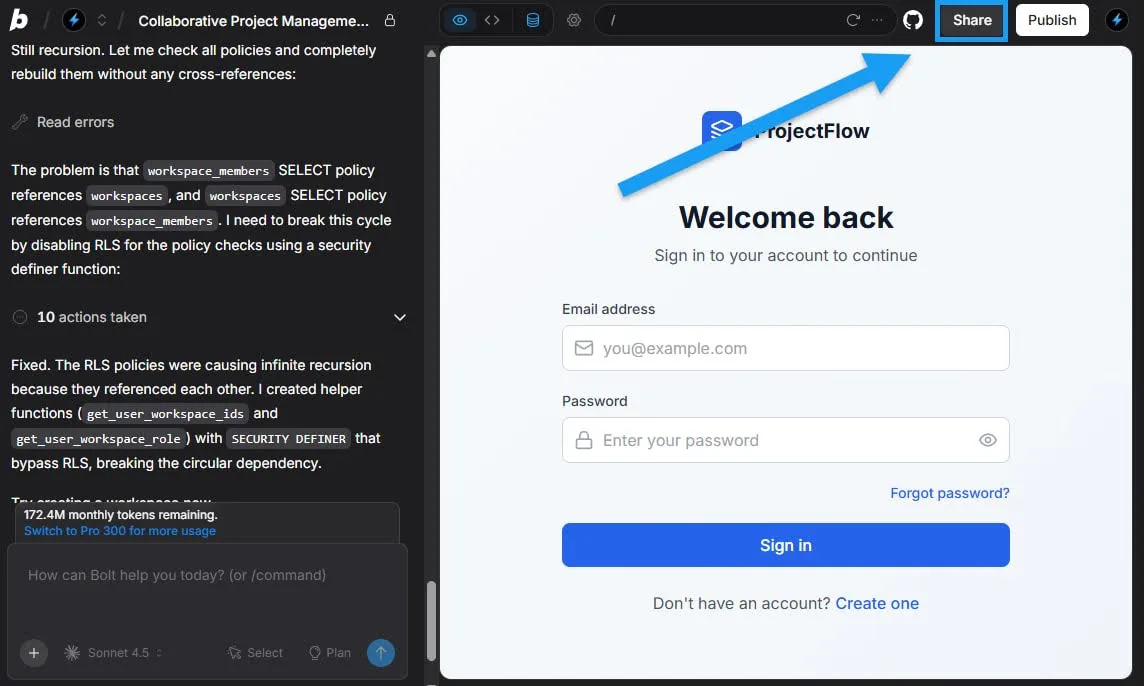
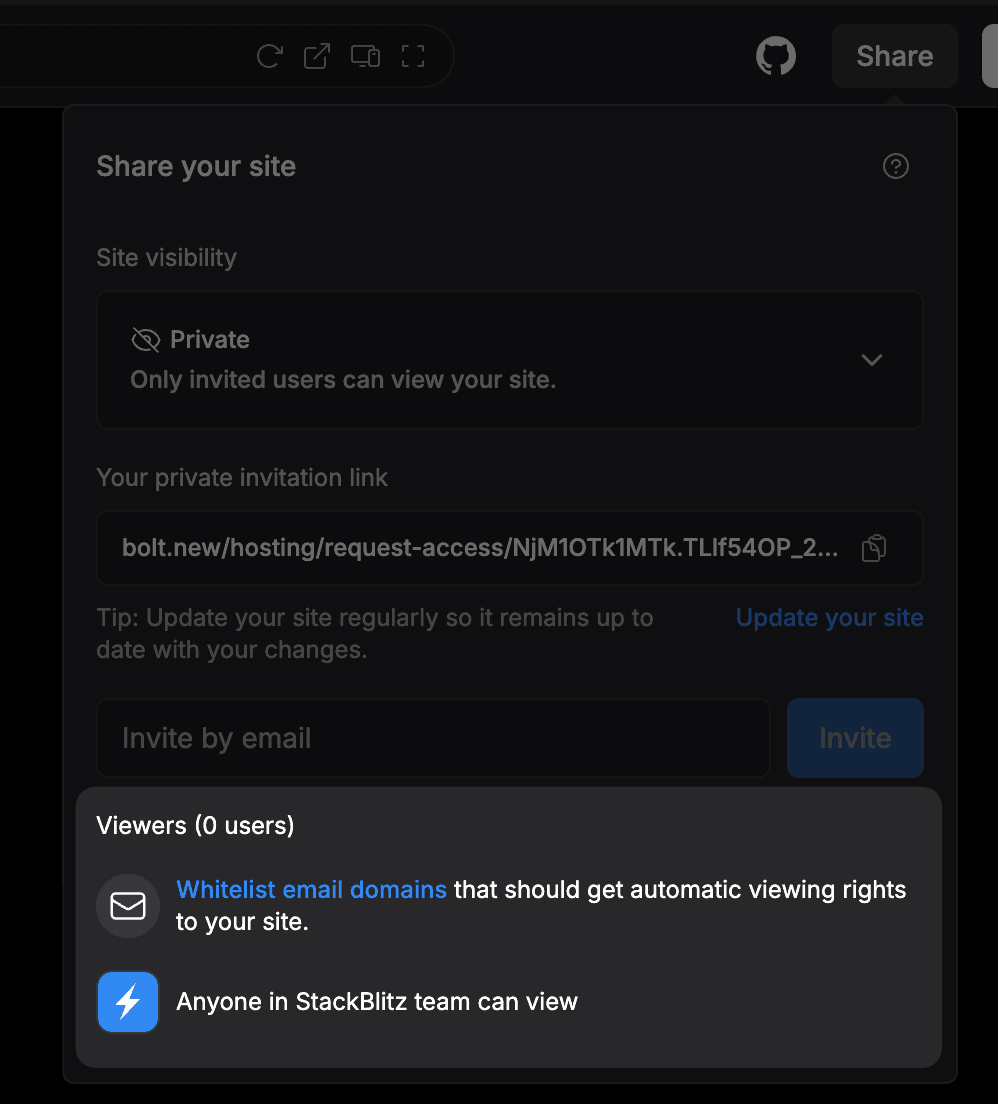
Share working prototypes with private links that only invited viewers can access. Test features internally before public launch. You can also whitelist an entire email domain for easier internal access instead of inviting people one by one.
Granular deploy visibility controls
Limit app visibility to your team only, or specify access by email domain. Fine-grained control over who sees what you ship.
Bolt for Teams leveled up
Bolt isn't just for solo builders anymore. Bolt for Teams is how your organization builds, secures, and ships production applications with real governance built in.
If you're already on Teams, these features are live right now. If you're not, this is why you should be.
Explore Bolt for Teams