Mar 4, 2026
Make your landing page feel alive (without becoming a motion designer)
Add interactive shader-like backgrounds, motion components, distortion effects, and more to your landing page background.
Educational
There are a bunch of ways to make your website feel more interactive and mesmerizing.
One option we’ve already covered is using video as a design element. While it’s much more visually interesting than a static hero image, it’s actually just the tip of the iceberg of what you can create in Bolt.
The best sites on the internet take things a step further. They integrate motion that reacts, creating a deeper experience for visitors.
In this walkthrough, designer and Bolt super-user Jakub Skrzypczak demonstrates how to add lifelike elements to your site using:
Interactive shader-like backgrounds (no video required)
Imported motion components (without mastering the tool they came from)
Scroll-driven 3D scenes
Video + distortion effects
Glassy 3D hero components you can remix and redesign in Bolt
And you don’t need to learn five different motion tools to get a bespoke result. You just need Bolt.
Got time? Watch the video.
In a hurry? Instructions below.
The secret of premium hero sections
Scroll-stopping hero sections typically rely on one of the following tricks:
1) Ambient animation + cursor response
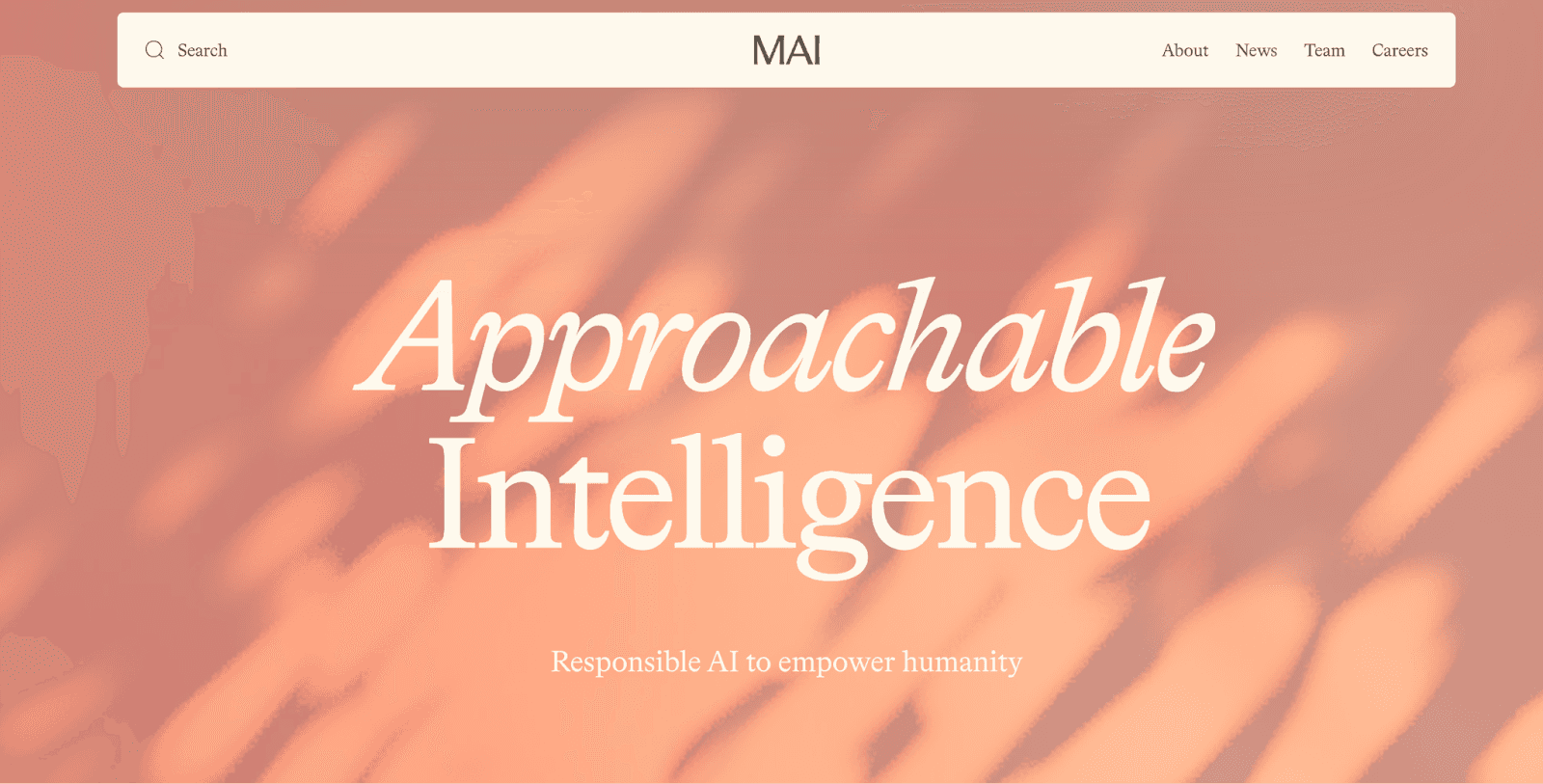
On sites like Microsoft AI and Eduardo’s portfolio, the background is a subtle animation that reacts even when you do nothing. Then it reacts differently when you move your cursor. It’s hypnotic, but controlled. It’s also pretty subtle. In Microsoft AI’s case, the entire animation is just a dappling of light on a wall.
2) Video backgrounds that also distort
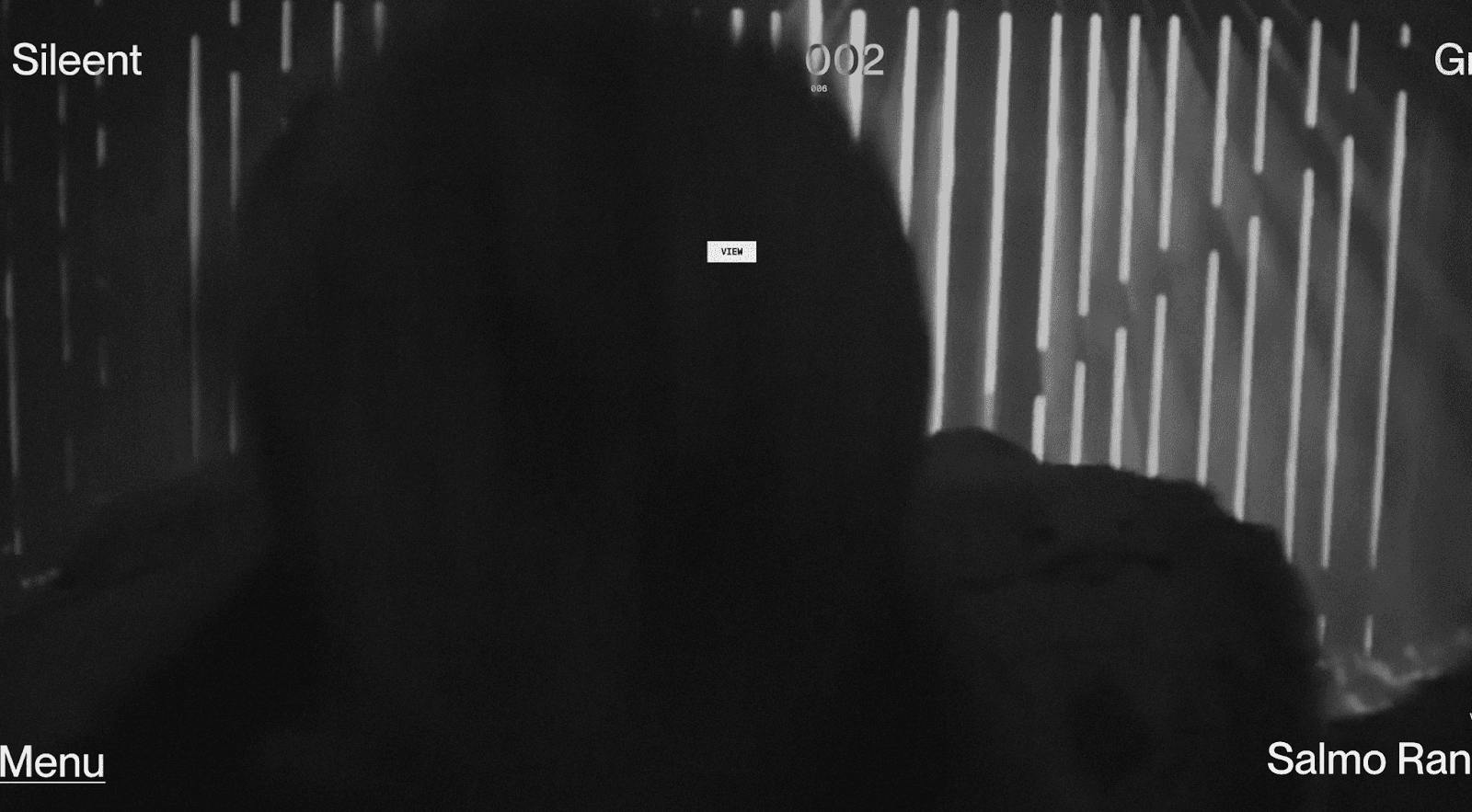
The Sileent site uses video, but adds a grid distortion layer that responds to mouse movement. That’s what makes it feel uniquely, expertly engineered.
3) Cinematic 3D focal objects
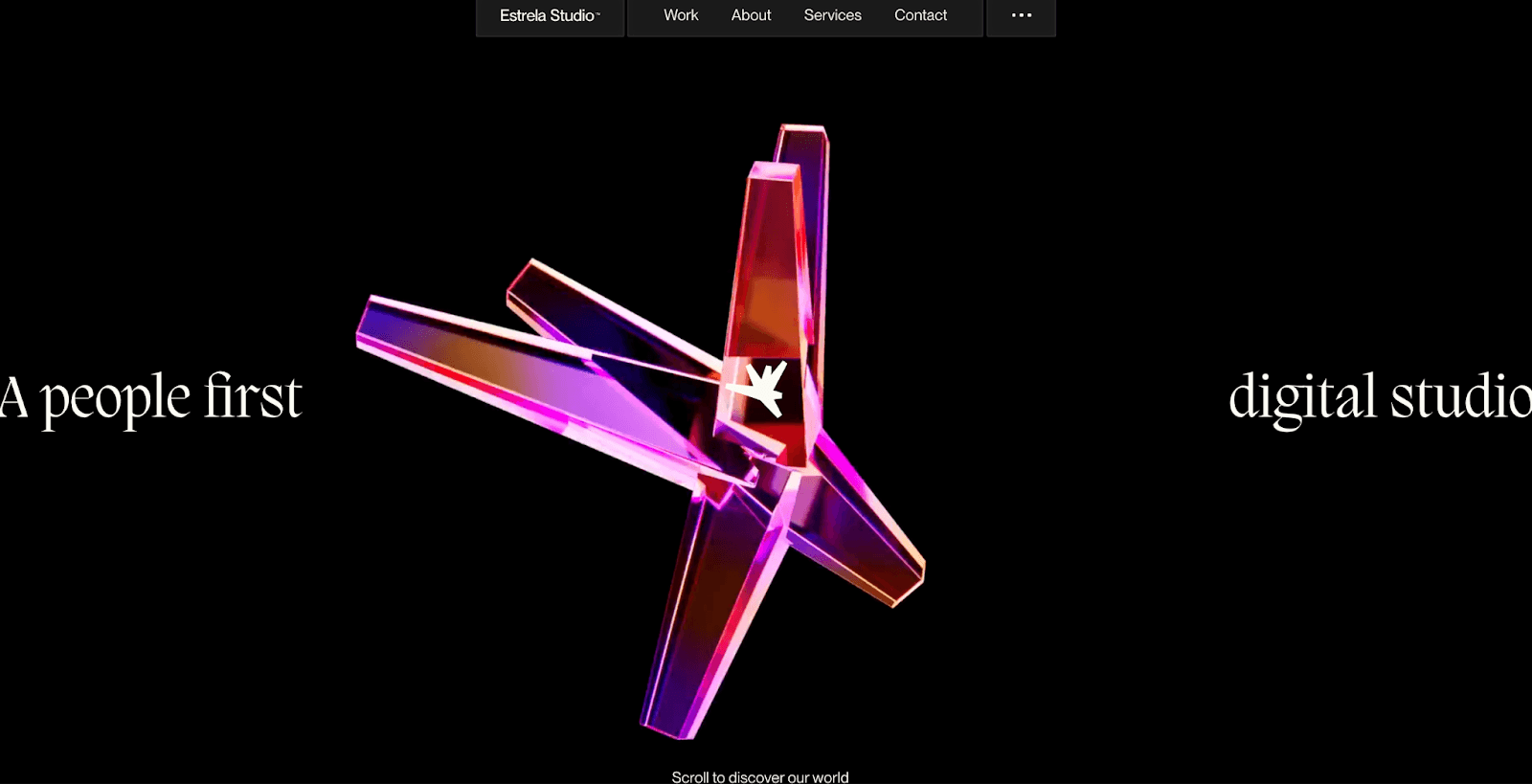
On Estrela Studio, the hero is a centerpeice that rotates slowly, like a planet. The glossy, dimensional object catches light as it turns, creating depth without overwhelming the content around it.
4) “Premium texture” effects
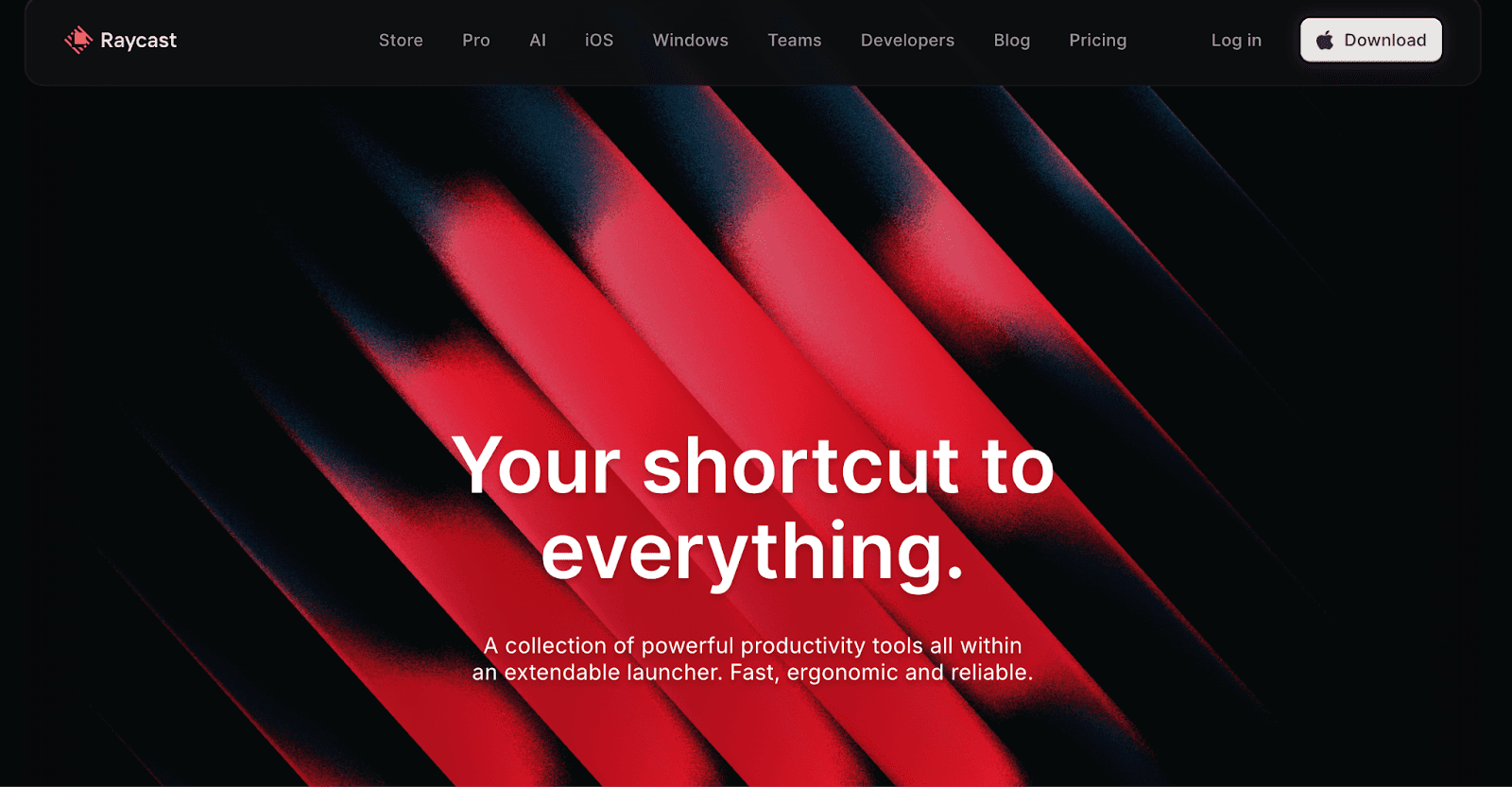
Raycast’s hero background has a blinds/gradient feel: simple shapes, elegant motion, and, similar to Microsoft’s animation, a strong sense of restraint.
5) Scroll-reactive 3D
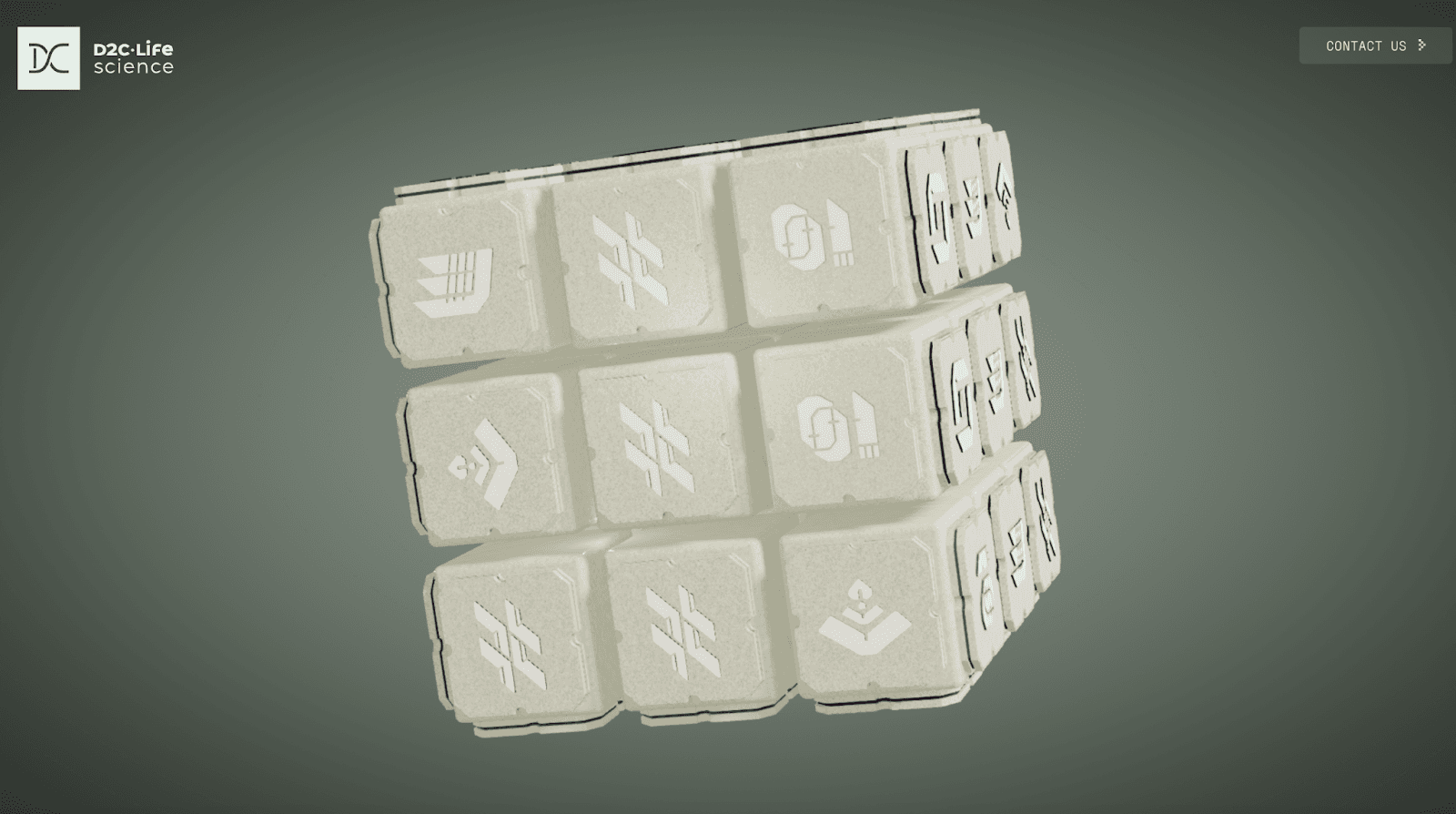
The D2C life science example is even more of a marvel than our earlier examples: the hero features a 3D Rubiks cube-like object that responds to scroll direction and speed. It bobs in zero-gravity space, then zooms and spins in reaction to your movements.
The following five mini-projects use each of these examples as inspiration. Remix these reusable hero background techniques to fit your brand.
Project 1: Cursor-reactive dither background (copy/paste → bespoke)
First up: the dither effect from Eduardo’s site.
You can pull this right from React Bits, a library of animated backgrounds that aren’t videos (and often react to your cursor).
Adding the effect to your project is simple:
Grab the dither effect from React Bits
Copy the code
Paste into Bolt
Tell Bolt:
Add this background to my project. Don’t add anything else yet.
Bolt handles the rest, including dependencies.
Make it yours with parameters (two ways)
Once it’s working, you can customize it:
Option A:
Ask Bolt to change the color intensity and parameters
Prompt:
Change the color intensity to 40 and change mouse radius to 0.3.
Option B:
Edit the values directly in the code
Have fun with it. Change the parameters, save, watch it update, and repeat. Do it until you find the look that works.
Project 2: Raycast-style “blinds” background (without learning Unicorn Studio)
Next: recreating that Raycast premium background effect.
Jakub uses Unicorn Studio, which has motion templates you can tweak with a million parameters (gradient maps, noise, shape, blinds, etc.).
Instead of learning Unicorn Studio deeply, just:
Pick the template in “inspiration” that matches the Raycast’s “blinds” style
Export it as project JSON
Paste the JSON into Bolt
Ask Bolt to use it as the landing page background
If you want to change the color, just prompt:
Change the primary background color from red to green.
Bolt changes the color and adapts the effect in a way that still looks intentional, even when the prompt is vague.
Project 3: Scroll-driven 3D model scene (with a real asset)
To recreate the scroll-reactive 3D object effect, Jakub uses a real model from Sketchfab of a Porsche.
The model is ~20MB. Bolt’s initial upload limit is smaller. Fortunately, there’s a clean workaround:
Start in Plan mode
Ask Bolt to build the 3D scene first
Then upload the model into the project’s
publicfolder
Jakub creates the folder, drags the .glb file in, and tells Bolt where it lives.
Once the 3D scene is working, here’s your prompt:
On scroll, zoom into different parts of the model and move it around for a dynamic scene effect.
Bolt a cinematic, dynamic scroll sequence.
Project 4: Video background + cursor distortion grid
Now Jakub recreates the Sileent site effect: video plus distortion.
Again, the workflow is simple:
copy component code
paste into Bolt
ask Bolt to import it as a hero background
The component is initially using a static image. To replace it with a video, just prompt:
Replace the static image with a video.
Bolt does it, using a placeholder video. Then, Jakub refines further:
Desaturate the video.
Now it matches the original style: moody, modern, and responsive to cursor movement.
Project 5: Glassy 3D hero component (and editing it inside Bolt)
Last one: a hypnotic glassy 3D component from Unicorn Studio (similar to Estrea Studio’s hero).
Same move:
Export JSON
Paste into Bolt
Add this component to my project
It imports cleanly, including a polished entrance animation.
Jakub further customizes the look with the following prompts:
Replace the solid blue with a custom background image
On scroll, zoom into the scene
Transition into a static image (also provided in public)
How should you use these effects?
However you want.
Jakub’s examples work well for a bunch of real use cases:
Agency landing page: dither / cursor-reactive backgrounds
SaaS hero: Raycast-style blinds for premium restraint
Product showcase: scroll-driven 3D for physical objects (cars, hardware, packaging)
Digital experiences: video + distortion for “interactive media” vibes
Experimental brand pages: glassy 3D hero components with scroll narrative
The right subtle motions can increase:
Time on page
Perceived quality
Message retention
Mesmerize visitors with a few simple motion effects
React Bits, Unicorn Studio, Sketchfab, etc. are powerful, but they can also take a while to learn if you’re starting from scratch.
Bolt gives you a different route. Just import what’s already great, adapt it in your own brand language, and refine until it’s perfect.
Ready to kick your landing page up a knotch? Try it wihttps://bolt.new/th Bolt.